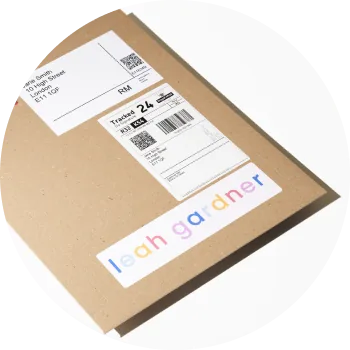
This guide walks you through how to drop ship art prints with Shopify and creativehub, step by step. You can sell fine-art print products through Shopify in two ways: create individual products and import them, or run a time-limited print drop. Either way, theprintspace fulfils every order — printing, framing and shipping globally from the UK, Germany or the USA.
Step 1: Sign up for your free creativehub account
Sign up for a free creativehub account. If you already have an account, login.
Step 2: Create your print products in creativehub
- From the Home page in creativehub, choose Sell Prints of Your Artworks (for individual products) or Create and sell prints in a time-limited print drop (for a timed sale).
- Design your print products — choose papers, framing, editions, certificates and packaging. Follow the tutorial to apply your settings and prices.
Step 3: Create your store on Shopify
Head to Shopify to choose your subscription plan and design your new store, choosing from a wealth of great templates or designing your own.
Step 4: Install the app
In your Shopify account, select the 'Apps' option from the main menu, then select 'Visit Shopify App Store'. Search for 'creativehub' and follow the installation steps. Once the creativehub Shopify app is installed, both your creativehub and Shopify accounts will be linked.
Step 5: Import creativehub products to your Shopify store
Once you have applied sales settings to your files (Step 2) you can import the products to your Shopify store. To do this go to your 'Product list', located in 'Art store settings' > 'Product list'. Next, import your products. When clicked, the product will import to your Shopify products list. From here, make available and you are ready to sell.
Step 6: Add a payment card to enable order fulfilment
When you sell a print in your Shopify store, the customer will pay you the full amount via your chosen payment method, which can be configured in the main settings in Shopify. You'll then be debited separately by us for the production & shipping costs. There must be a linked bank card in your creativehub account to be able to make this payment.
To do this, click your profile icon in the top right of the page and select 'Art store settings' from the dropdown menu, then click 'Payment settings'.
Step 7: Drive traffic to your store
Now you're all set up to drop ship art prints with Shopify. When one of your prints sells, we handle fulfilment and ship the print directly to your customer. Then it's time to think about driving traffic to your online store.
Run a time-limited print drop
As an alternative to individual products, you can run a print drop — a countdown sale page with your products and a dedicated store page, with a start and end date to create urgency. This is a Shopify-exclusive feature in creativehub, and all orders are fulfilled by theprintspace.
If you're still unsure, please get in touch at info@theprintspace.co.uk — one of our friendly team will help.