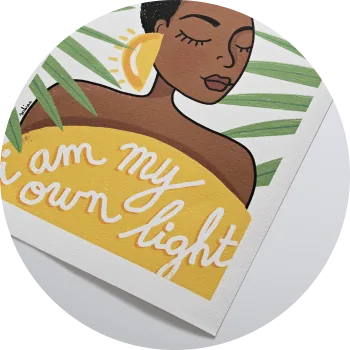
Giclée prints are made on Epson SureColor P9000 printers with Epson UltraChrome HDX pigment inks, and C-type prints are made on Chromira printers on Fuji Matt and Fuji Gloss photographic paper. We calibrate the machines every day and print your file exactly as supplied, so the same file on the same paper gives the same result from one order to the next, at any size.
Printers and inks
- Giclée: Epson SureColor P9000 printers with Epson UltraChrome HDX inks, a wide-gamut, archival pigment ink set. More on the giclée printing page.
- C-type: Chromira printers on Fuji Matt and Fuji Gloss paper. C-type is a photographic process: the paper is exposed to light and developed in chemistry, so there is no ink. More on the C-type printing page.
For how the two compare, see the difference between C-type and giclée prints.
Made in our own studios
We have studios in London, Düsseldorf and New York. All three are our own, and we do not send printing out to other labs.
UK orders are made in London.
See where print orders are made and shipped from.
How colour is kept consistent
- The machines are calibrated every day.
- Each paper has its own print profile, made by us. You can download the profiles for soft-proofing.
- Your file is printed as supplied. We do not crop, sharpen, retouch or colour correct it, and there are no automatic enhancements.
- Everything is made in our own studios, which is how colour stays consistent wherever the order is printed.
Why two prints can still look different
- Paper. Each paper has its own base colour and surface. The same file looks different on a matt cotton paper and on a gloss paper.
- Process. Giclée and C-type are different processes and will not match each other exactly.
- Size and viewing. A large print can look a little different from a small one simply because you view it from further away and in different light.
If colour matching across a set matters, order the whole set on one paper, in one order.
If a reprint looks different from the first print
The most common cause is a change in the colour profile or colour space of the file between the two orders. Check these in turn:
- File. Was exactly the same file used, with the same embedded colour profile? A re-exported or edited file, or one saved in a different colour space, can print differently.
- Paper. Is it the same paper? Some older papers are no longer offered, such as Fuji Pearl and Fuji Flex, so a reorder may be on the nearest current paper. See alternatives to discontinued papers.
- Process. A giclée and a C-type of the same file will not match exactly.
- Light. Compare the two prints side by side in daylight. An older print may also have changed slightly if it has been on display in bright light.
If you are not sure which paper the first order used, send us the original order details and we will check. If the two prints still differ, send a photo of them side by side with both order numbers through the contact page. We will check the orders and the files, and if the reprint is not accurate to your file we will replace it free of charge.
The papers that run through these giclée printers are listed with a comparison table on our giclée printing service page.